
How to upscale a 720p video to 1080p or 2K with AI
Turn 720p videos into sharp 1080p or 2K with AI on your NVIDIA GPU — real detail instead of stretched pixels. Free edition, offline, no watermark.
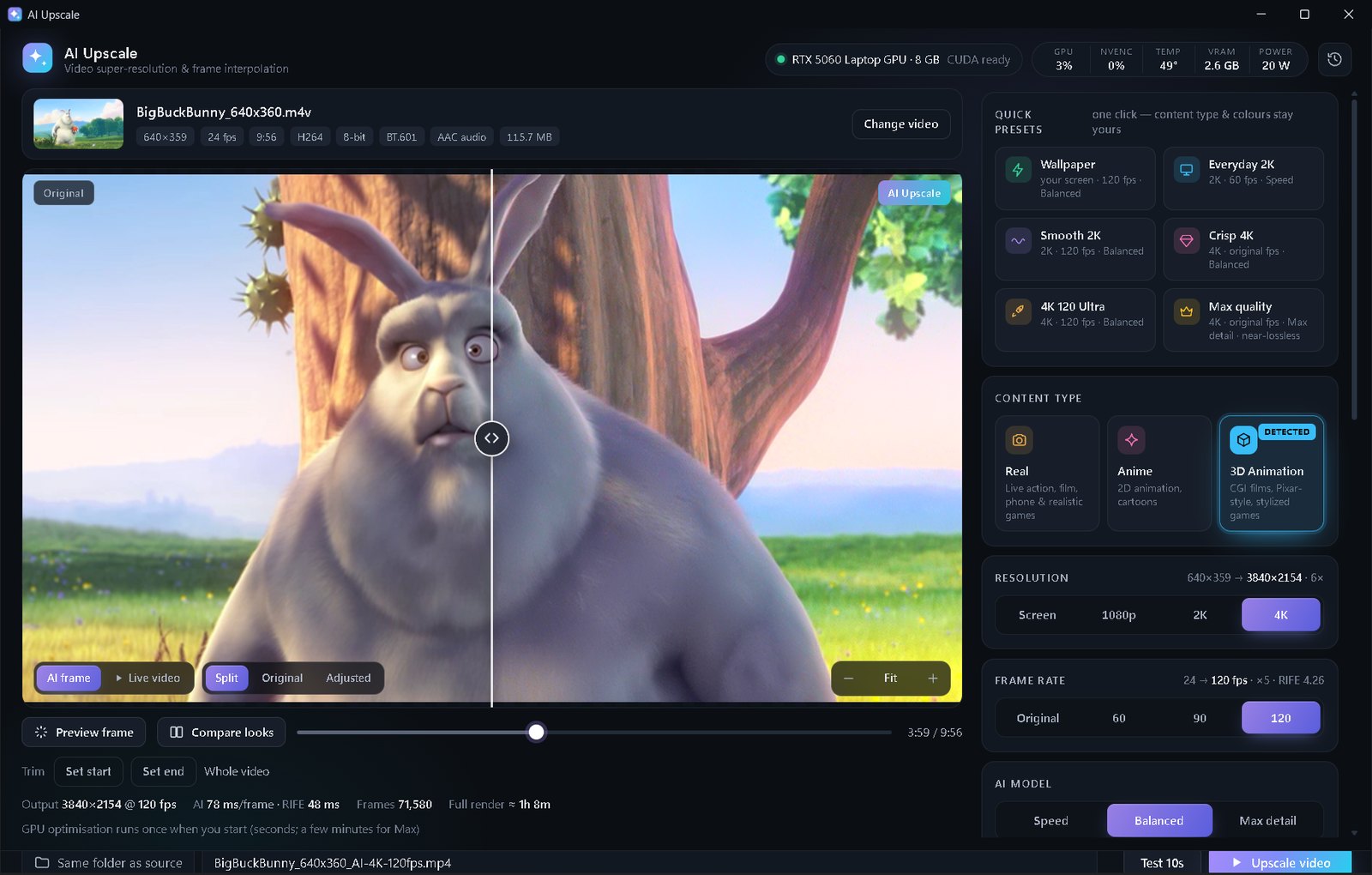
Open the 720p video in AI Upscale, keep the detected content type, choose 1080p or 2K, pick Balanced, check a Test 10s and click Upscale video. Both resolutions are in the free edition.
Why “resize to 1080p” in a video editor isn't enough
Video editors and players upscale with simple maths (bicubic or Lanczos): every pixel just gets bigger, so a 720p video at 1080p looks soft. AI upscaling models were trained on millions of image pairs and redraw edges, hair, text and textures at the higher resolution.
720p → 1080p is a 1.5× jump and 720p → 2K is 2× — the range where AI upscaling looks most natural. AI Upscale shrinks or grows the AI's working size automatically so it never wastes time rendering pixels you'll throw away.
Step by step
- Open the video in AI Upscale. It detects whether it's real footage, anime or 3D animation and picks matching models.
- Choose 1080p for phones, laptops and most YouTube uploads, or 2K (2560×1440) for big monitors.
- Choose Speed for clean, well-lit videos, or Balanced for noticeably more detail.
- If the 720p file looks blocky or noisy, turn on Fix low-quality video.
- Use the before/after slider and zoom to 100–200% on faces or text.
- Click Test 10s, then Upscale video. The new file keeps the original audio.
Tips
- Export quality: keep HEVC · 10-bit and High for small files with no visible loss.
- Uploading to YouTube? YouTube gives higher-quality streams to 1440p uploads, so a 2K upscale can look better even on 1080p screens.
- Videos longer than a minute can be trimmed into parts in the free edition, or upscaled in one go with Premium.
💡 Free edition: 1080p and 2K, clips under 1 minute. Premium ($5 once, yours forever): any length, 4K, Max detail, 60/120 FPS, no ads.
FAQ
Is upscaling 720p to 1080p worth it?
Yes — with AI it removes the soft, blurry look and makes edges and text clearly sharper, especially on large screens.
Should I go to 4K instead?
From 720p, 1080p or 2K usually looks best. 4K (Premium) is better for 1080p sources.
Does AI Upscale add a watermark?
No. There is no watermark in either edition.