Free edition
$0forever
- AI upscaling to 1080p and 2K
- Speed & Balanced AI models
- Clips under 1 minute
- Original frame rate
- Auto content detection, colour grading, cleanup, trim
- Shows small ads (they keep the free edition alive)
 AI UpscaleAI video upscaler · free & Premium
Turn blurry, low-quality videos into crisp 1080p, 2K or 4K and make them silky smooth at 60, 90 or 120 FPS — right on your own NVIDIA graphics card. It even detects by itself whether your video is real footage, anime or 3D animation and picks the best AI for it.
Windows 10/11 · NVIDIA RTX GPU
One download for both editions — Premium is unlocked with a key.
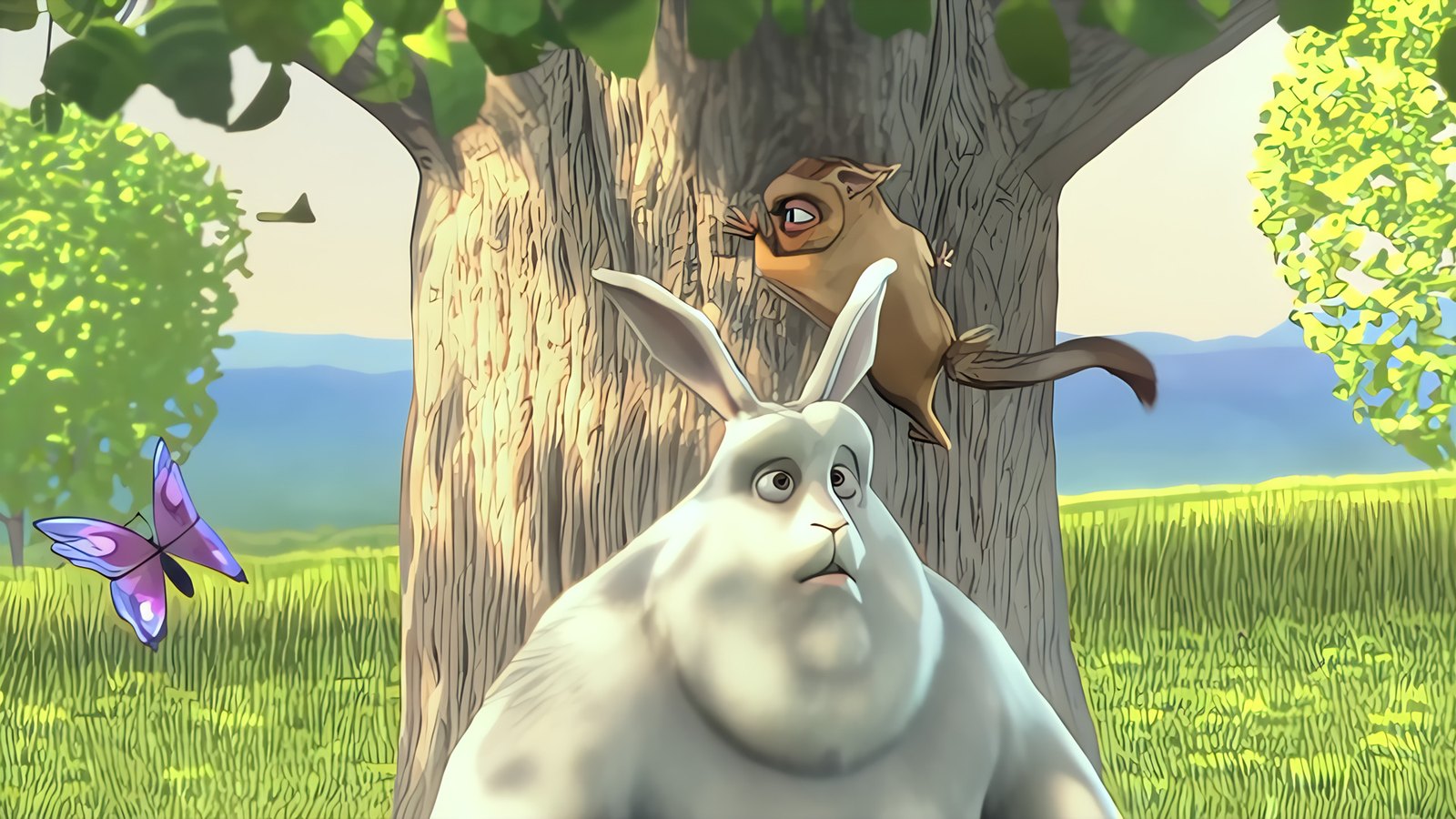
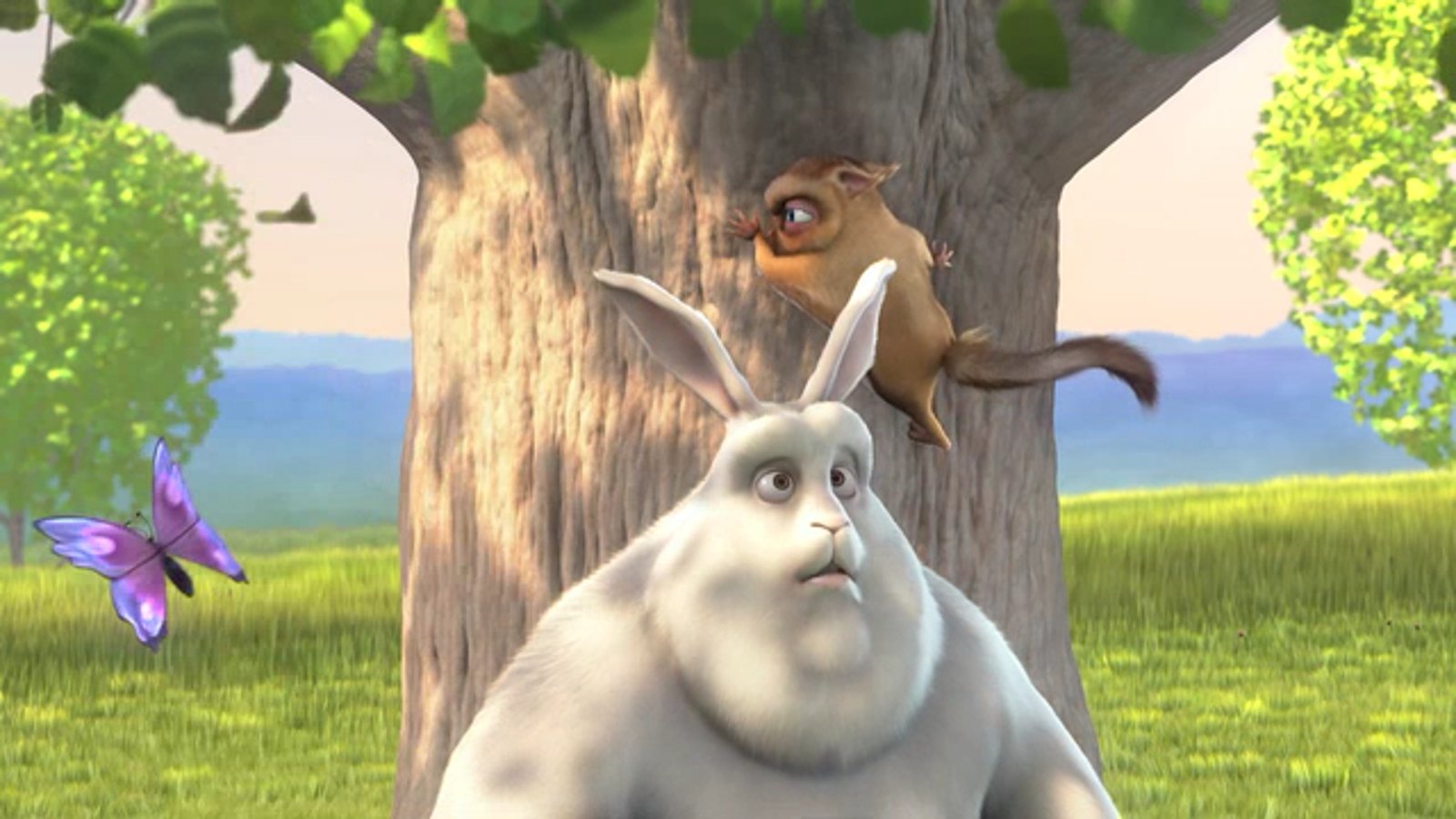
Drag to compare · Big Buck Bunny © Blender Foundation, CC BY 3.0 · 3D Animation detected automatically
Both are the same download. The free edition is genuinely useful; Premium unlocks everything with one small payment — pay once, yours forever.
Thank you for even considering it. Every $5 keeps a free edition alive for people who can't pay. 🌷
AI-Upscale-Premium-Key.txt in your Downloads and printed in your PayPal receipt (as the item number).🛟 Contact me for troubleshooting: raiyanaukeli@gmail.com — paid but no key, payment problems, anything at all.
Once it's in the app, Premium is stored on your PC and survives updates and reinstalls — no subscription, no internet needed. Your key is personal: please don't share it (shared keys can be blocked). Lost it? Here's how to get it back.
AMD / Intel graphics and Mac are not supported yet — the AI runs on NVIDIA's CUDA.
C:\AI Upscale or Documents (not "Program Files").Install.bat and keep the window open until it says DONE (10–20 min, ~5 GB download).The installer downloads a private copy of Python, PyTorch/TensorRT and the AI models from their official sources. Nothing is installed system-wide — delete the folder to uninstall.
SHA-256: —
Great video tools shouldn't need a $2,000 graphics card or a monthly subscription. AI Upscale was built and tuned on an everyday RTX 5060 laptop, with lots of tricks (TensorRT, smart tiling, compiled models) so it runs fast on the kind of GPU most people actually have. The free edition stays free, and Premium is one small payment — never a subscription. 🙂
Everything a pro video enhancer does — without the subscription. Premium marks what Premium adds.
Drop in a video and a small vision AI (CLIP) recognizes whether it's real footage, anime or 3D animation — then switches to the AI models made for that kind of video. No guessing which setting to pick.
State-of-the-art models (Real-ESRGAN, APISR, AnimeJaNai, Nomos2, …) rebuild real detail instead of just stretching pixels. Free: 1080p & 2K. Premium 4K and Screen above 2K.
RIFE 4.26 creates brand-new in-between frames for buttery-smooth motion, with scene-cut detection so cuts never smear.
Old, blurry or blocky clips (480p, 720p, phone and messenger videos) get repair models plus extra cleanup — switched on automatically for very low-res files. It also spots “fake HD” files that were stretched from a lower resolution.
Three quality tiers, accelerated with NVIDIA TensorRT and compiled models — up to 3× faster than plain PyTorch, with identical output. Premium Max detail.
Brightness, contrast, gamma, saturation, vibrance, temperature, tint and hue — previewed live on the moving video. One-click looks: Vivid, Cinematic, Anime Pop, Warm, Cool, B&W.
Temporal noise reduction, debanding for smooth gradients, adaptive sharpening and optional film grain.
Before/after slider with zoom, “Compare looks” (Real vs Anime vs 3D side by side at your screen's real size), and a 10-second test render.
A little panda who waves hello, gets excited when you drag a video in, types away on his laptop while your video renders, naps when you pause and throws confetti when it's done.
GPU load, encoder, temperature, VRAM and power while rendering. Keeps your PC awake and pauses Wallpaper Engine during renders.
10-bit HEVC, AV1 or H.264 via NVENC, original audio kept, trim built in, MP4 or MKV (keeps subtitles).
No uploads, no cloud, no account. Your videos stay on your PC — it even works offline after installing.

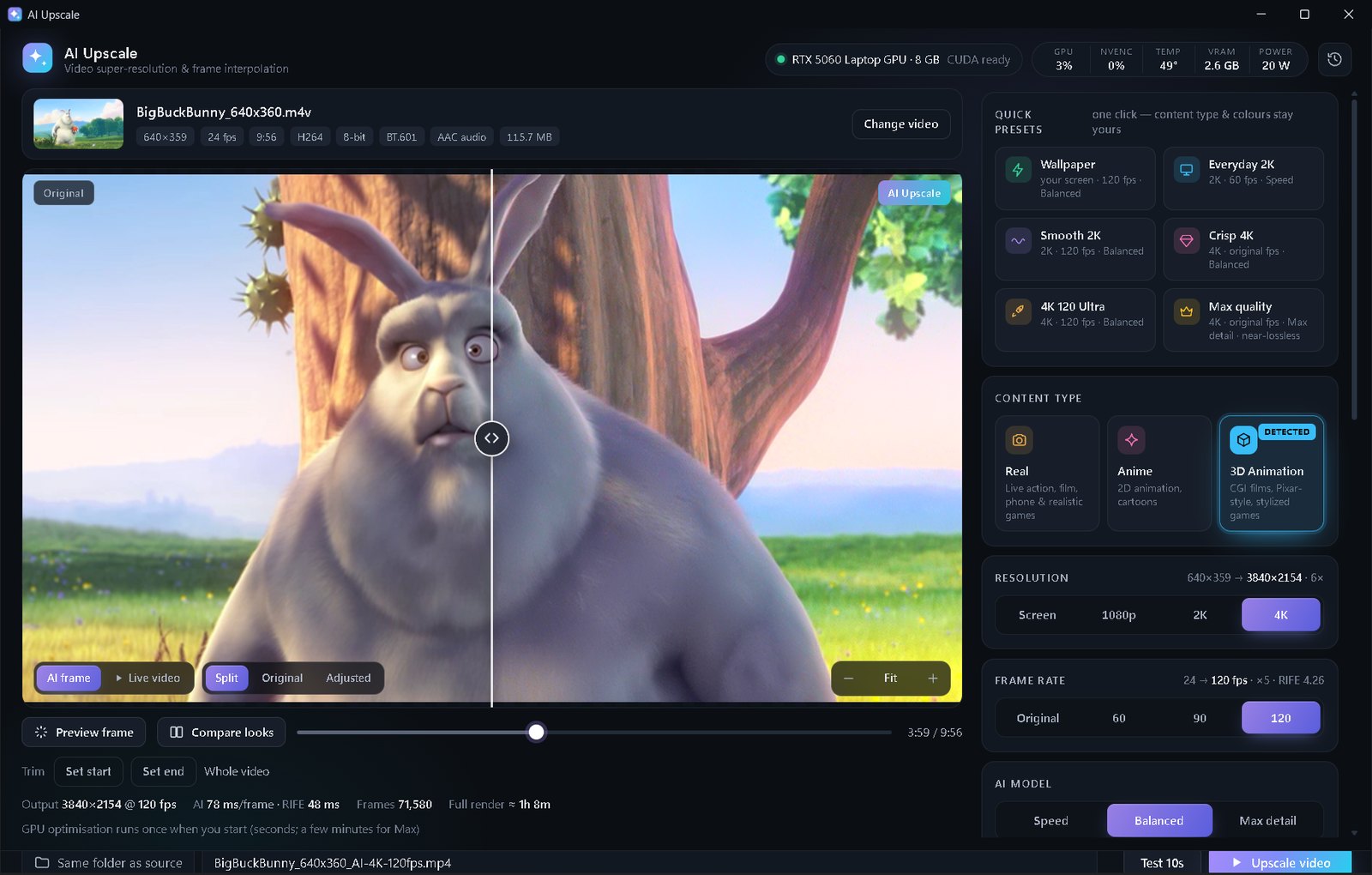
Measured on an RTX 5060 Laptop GPU (8 GB) — a 50-second clip upscaled to 2K at 120 FPS (Premium):
Faster GPUs are proportionally faster. The first render with a new model takes an extra 1–3 minutes to optimise it for your GPU (once).
MP4, MKV, MOV, AVI, WEBM… The content type is detected automatically.
Or choose resolution, FPS and quality yourself, then tweak colors live.
Drag the before/after slider, zoom in, run a 10-second test.
Hit “Upscale video” — your finished file lands next to the original (or any folder you pick).
An AI video upscaler and AI video enhancer for PC — here's what it's best at.
A video upscaler for PC that rebuilds real detail to enhance video quality — the low quality video fix for old clips, phone videos and soft “fake HD” files. An offline AI upscaler and NVIDIA RTX upscaler in one, with a free edition.
Upscale anime to 4K with clean lines and no smearing. This anime video upscaler uses APISR, AnimeJaNai and Real-ESRGAN — like a Real-ESRGAN GUI, but it picks the right model for you.
AI frame interpolation with RIFE interpolation (4.26) works as a 60fps converter and turns almost any clip into a smooth 120fps video. Increase video FPS without stutter or smeared scene cuts.
Looking for a Topaz Video AI alternative? AI Upscale has a free AI upscaler edition and a $5 lifetime Premium — a video enhancer download with no subscription. It's also a great Wallpaper Engine upscale tool for live wallpapers.
Step-by-step help for the things people ask most.
The free edition upscales clips under 1 minute to 1080p or 2K at the original frame rate with the Speed and Balanced models, and shows small ads. Premium removes every ad and unlocks videos of any length, 4K, 60/90/120 FPS, the Max detail models, a brand-new design and Bao the panda — plus all future updates.
No — never. You pay $5 once and Premium is yours forever: no monthly fee, no renewals, no limitations, no expiry date. It even works offline — the app checks your key on your own PC, so it can't be switched off later.
A personal lifetime license key (it looks like AIU5-XXXXX-XXXXX-XXXXX-XXXXX) that unlocks: no ads, any video length,
4K, 60/90/120 FPS, Max detail, the Premium design with Bao the panda, and every future update. Plus a big thank-you from me. 💜
Your key is shown on this website for 1 hour right after paying (the 🔑 My Premium key button at the top shows it again during that time),
it's saved to your Downloads as AI-Upscale-Premium-Key.txt, and it's printed in your PayPal receipt email as the item number.
Can't find any of them? Email raiyanaukeli@gmail.com with your PayPal receipt and I'll send your key again — always.
No. The key is saved in two places on your PC (your Windows user folder and the app folder), so updates, reinstalls and moving the folder keep Premium. On a new PC, just enter the same key again. It never expires.
No worries! Open this page again in the same browser — it will ask whether you finished paying and show your key. You'll also find the key in your PayPal receipt (item number). And if anything at all goes wrong, email me with your receipt and I'll sort it out.
Yes, of course! Thank you for being one of the first supporters. Email raiyanaukeli@gmail.com with your PayPal receipt and you'll get a lifetime Premium key.
Absolutely. 💜 It's free forever, with no trial timer. And if you can't afford Premium, that's completely okay — no hard feelings, ever. Sharing AI Upscale with a friend is a wonderful way to help too.
Contact me for troubleshooting: raiyanaukeli@gmail.com. Include your PayPal receipt (or the email you paid with) and I'll make sure you get your key.
Yes. Payments go through PayPal's official, secure checkout (card or PayPal balance) — this website never sees your card or account details.
Use it on your own computers — that's fine. But please don't share your key: it's personal. Keys that get shared can be blocked in the next update, and then they stop working for everyone using them — including the person who bought them.
The download is scanned by 60+ engines on VirusTotal (green button above). Because the installer is new and not code-signed, Windows SmartScreen may show “Windows protected your PC” — click More info → Run anyway. The installer only writes inside its own folder.
Never. Everything runs on your own GPU. After installing it works completely offline (the free edition needs the internet only to show its ads).
Any NVIDIA GeForce RTX card (20/30/40/50 series, desktop or laptop) with 6 GB+ VRAM. It was developed on an RTX 5060 Laptop GPU, so mid-range cards are first-class citizens. AMD, Intel and Mac aren't supported yet because the AI runs on NVIDIA CUDA.
It's an independent tool that covers the same core jobs — AI upscaling, frame interpolation and enhancement — using well-known open models, for $0 or a one-time $5 instead of a subscription. Results depend on your video, so try the 10-second test and see for yourself.
When you open a video, a small AI looks at a few frames and decides whether it's real footage, anime or 3D animation, then selects the matching upscaling models. You'll see a “Detected” badge, and you can always override it.
Yes — that's what it was made for! The Wallpaper preset (Premium) renders exactly at your screen's resolution at 120 FPS, and AI Upscale pauses Wallpaper Engine while rendering so your GPU is free.
The first time you use a model at a new video size, AI Upscale compiles it specifically for your GPU (1–3 minutes, shown as “Optimizing”). After that it's cached and starts instantly.
From their original authors' official releases (Real-ESRGAN, APISR, AnimeJaNai, AniScale, Nomos2, RIFE, CLIP…), downloaded by the installer and checked with SHA-256. Some models are licensed for non-commercial use, so please use AI Upscale for personal projects. Full credits are in THIRD-PARTY-NOTICES.txt.
Download the new zip and extract it over your existing AI Upscale folder (replace the files). Your models, settings, history and Premium key are kept, and there's no need to run Install.bat again.
Delete the AI Upscale folder and its shortcuts. Nothing else is changed on your PC (your Premium key stays in %APPDATA%\AI Upscale in case you come back).
Everything below is free, runs right in your browser and never uploads your files.
AI Upscale is made by one person. If it brought an old video back to life for you, Premium or a small donation (any amount, Free or Premium user) helps keep it alive and improving. Even just sharing it with a friend means a lot. Thank you! 🙏
AI Upscale stands on the shoulders of amazing open-source work: Real-ESRGAN (Xintao Wang et al.), APISR (Boyang Wang et al.), AnimeJaNai (the-database), AniScale 2 (Sirosky), LiveAction SPAN (jcj83429), Nomos2 MoSR (Helaman), CGIMaster (Madiator), RIFE (hzwer) via vs-rife (HolyWu), CLIP (OpenAI), spandrel, PyTorch, NVIDIA TensorRT, FFmpeg and uv. Demo footage: Big Buck Bunny © Blender Foundation, CC BY 3.0.
Wallpaper Engine is a trademark of its respective owner. AI Upscale is an independent project and is not affiliated with or endorsed by Wallpaper Engine.
Donations simply help cover the time it takes to keep improving AI Upscale. Any amount — big or small — is truly appreciated, whether you use the free edition or Premium.
rayan6razan@gmail.com
Opens PayPal's official, secure checkout in a new tab — you choose the amount there.
Your Premium key is ready and waiting. After paying, PayPal brings you back here and it appears instantly.
Pay once — yours forever. No subscription, no limitations.
You just made my day. 😊 Your kindness keeps a free edition alive for people who can't pay. Here's your lifetime key:
—⏳ This page shows your key for 60:00 only — add it to AI Upscale now.
🔒 Don't share this key — it's yours. Every key is personal. If it gets shared, it can be blocked in the next update, and then it stops working for everyone using it — including you, so you'd lose Premium.
Once it's in the app, Premium is yours forever — no subscription, no limitations. The key is also in your PayPal receipt as the item number.
🛟 Contact me for troubleshooting: raiyanaukeli@gmail.com