
How to upscale video wallpapers to your exact screen size at 120 FPS
Make blurry 720p/1080p video wallpapers sharp at your monitor's exact resolution and smooth at 120 FPS with AI — and pause Wallpaper Engine while rendering.
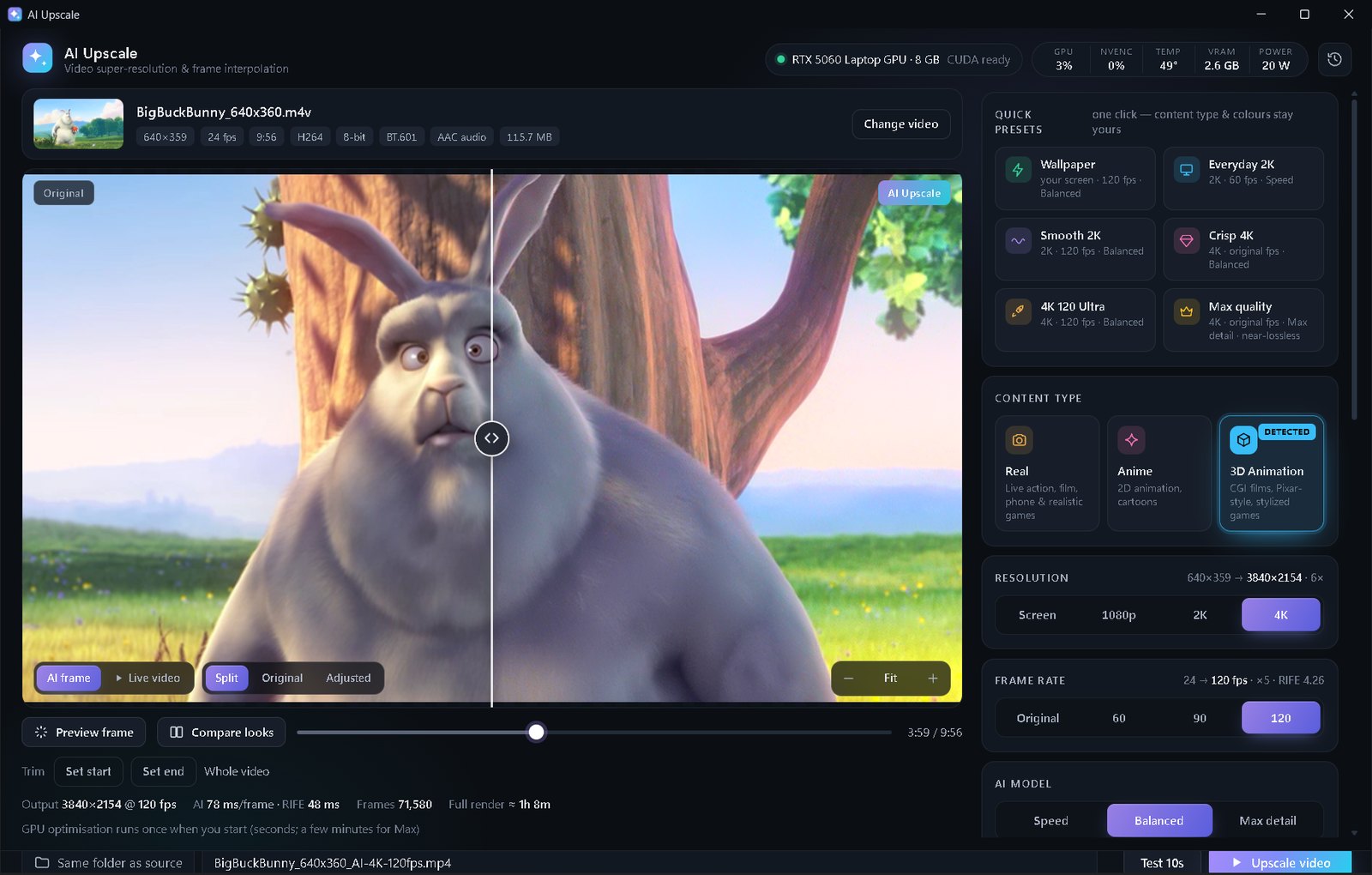
Open the wallpaper's video in AI Upscale, click the Wallpaper preset (your screen size · 120 FPS · Balanced), run Test 10s, then Upscale video and load the new file as your wallpaper.
Why video wallpapers often look soft
Many video wallpapers are 720p or 1080p clips stretched across a 1440p, ultrawide or 4K screen, often at 24–30 FPS. On a 144/165 Hz monitor that looks soft and a bit choppy.
AI Upscale has a Screen resolution that renders exactly for your monitor (it fills the screen like a wallpaper in “fill” mode, so no pixels are wasted) and a Wallpaper preset that combines it with 120 FPS interpolation. While rendering, it can pause Wallpaper Engine so your GPU is free, and resumes it afterwards.
Step by step
- Find the wallpaper's video file: in Wallpaper Engine, right-click the wallpaper → Open in Explorer; the video is usually the .mp4 in that folder.
- Copy it somewhere (e.g. your Videos folder) and open the copy in AI Upscale.
- Click the Wallpaper quick preset: your screen · 120 fps · Balanced.
- Check the content type — anime wallpapers look far better on Anime.
- Click Test 10s and watch it full-screen, then click Upscale video.
- In Wallpaper Engine, open the editor or Create Wallpaper and use the new video file.
Tips
- Use “Compare looks” to see the frame as Real, Anime and 3D side by side at your screen's real size before choosing.
- Laptop users: plug in your charger — GPUs are power-limited on battery.
- Looping wallpapers: use Trim to cut exactly the loop you want.
💡 The Wallpaper preset uses 120 FPS and Screen sizes above 2K, which are part of Premium ($5 once, no subscription). In the free edition you can upscale wallpapers to 1080p or 2K at their original frame rate. AI Upscale is not affiliated with Wallpaper Engine; Wallpaper Engine is a trademark of its respective owner.
FAQ
Does this work with Steam Workshop wallpapers?
Yes, for video wallpapers whose .mp4 you can open. Please only upscale wallpapers for your own use and respect the creators' terms.
Will a 120 FPS wallpaper use more GPU?
Playback of a 120 FPS video uses a little more power than 30 FPS, but it's decoded by the GPU's video engine, so the impact is small.
What does “Screen” resolution do?
It renders the video exactly at your monitor's resolution, covering the screen like a wallpaper in fill mode — no black bars and no wasted pixels.